Sunshine State Innovation Games 2027
There are 3 divisions by grade level: elementary, middle, and high school. Student competitors may choose, with guidance from their teacher, coach, or mentor, the competition category in which they wish to compete. Each school may enter a maximum of three teams per division.
To view more specific information for each division, select the appropriate link in the table below.
CCPC Overview
| Division | Category | Link to Guidelines |
|---|---|---|
| Elementary | Scratch | Elementary Guidelines |
| Middle School | Web | Middle School Guidelines |
| High School | Runtime | High School Guidelines |
Important Dates
| Date | Event | Grade Level |
|---|---|---|
| August 3, 2026 | Registration Opens | Elementary, Middle School, High School |
| March 5, 2027 | Registration Deadline | Elementary, Middle School, High School |
| March 8, 2027 | Runtime Virtual Round Opens | High School |
| March 12, 2027 | Runtime Virtual Round Closes | High School |
| March 29, 2027 | Project Submission Opens | Elementary, Middle School |
| April 5, 2027 | Project Submission Closes | Elementary, Middle School |
| April 23, 2027 | In-Person Presentation & Competition Day | Elementary, Middle School, High School |
Competition Rules & Requirements
- The competition is open to elementary (grades 4 - 6), middle (grades 6 - 8), and high school (grades 9 - 12) students. Students in the 6th grade may choose which category to compete in.
- Project entries can be created by a single student creator or team of up to 3 students. High schoolers will compete in teams of 2-3 students.
- Scratch and Web competition entries must be submitted within the submission window listed in the table above.
- Runtime teams must complete the virtual round of the competition within the window listed in the table above. Teams who qualify for the final, in-person round will be notified during the following week.
- Entries must be ORIGINAL works created by the team or individual submitting the entry.
- If an entry incorporates music, sound, text or images, you must own the rights to use that material or provide attribution in the project’s “Notes or Credits” section (Elementary Scratch) or “Readme” (Middle School Web).
- No violence or simulation of violence. Use your programming powers for good!
- Online safety matters! Project submissions must not include students’ full names, location, or contact information.
- The competition organizers reserve the right to disqualify any entry based on inappropriate or copyrighted content and any entries which do not adhere to the competition rules and guidelines.
- When an entry is submitted, permission is granted to the organizers of the competition to make unrestricted use of the entry in the future for publicity or educational purposes.
How to Participate
Once you’ve confirmed your students’ division and eligibility above, registration happens in three steps on the Sunshine State Innovation Games web page ⎋.
Why register? A teacher/admin account is required to create and manage accounts for students. These student accounts are necessary for students to submit projects or compete in the Runtime competition.
Process Overview
| Step | Task |
|---|---|
| 1 | Teachers submit the registration form ⎋ & verify their email. Approval takes 1–2 business days. |
| 2 | Teachers log in ⎋ & register student teams and create student accounts. |
| 3 | Students log in ⎋ to the accounts created for them to compete or submit their projects. |
Step 1: Teacher/Coach Registration

- Go to the competition page ⎋ and click “Register as Teacher.”
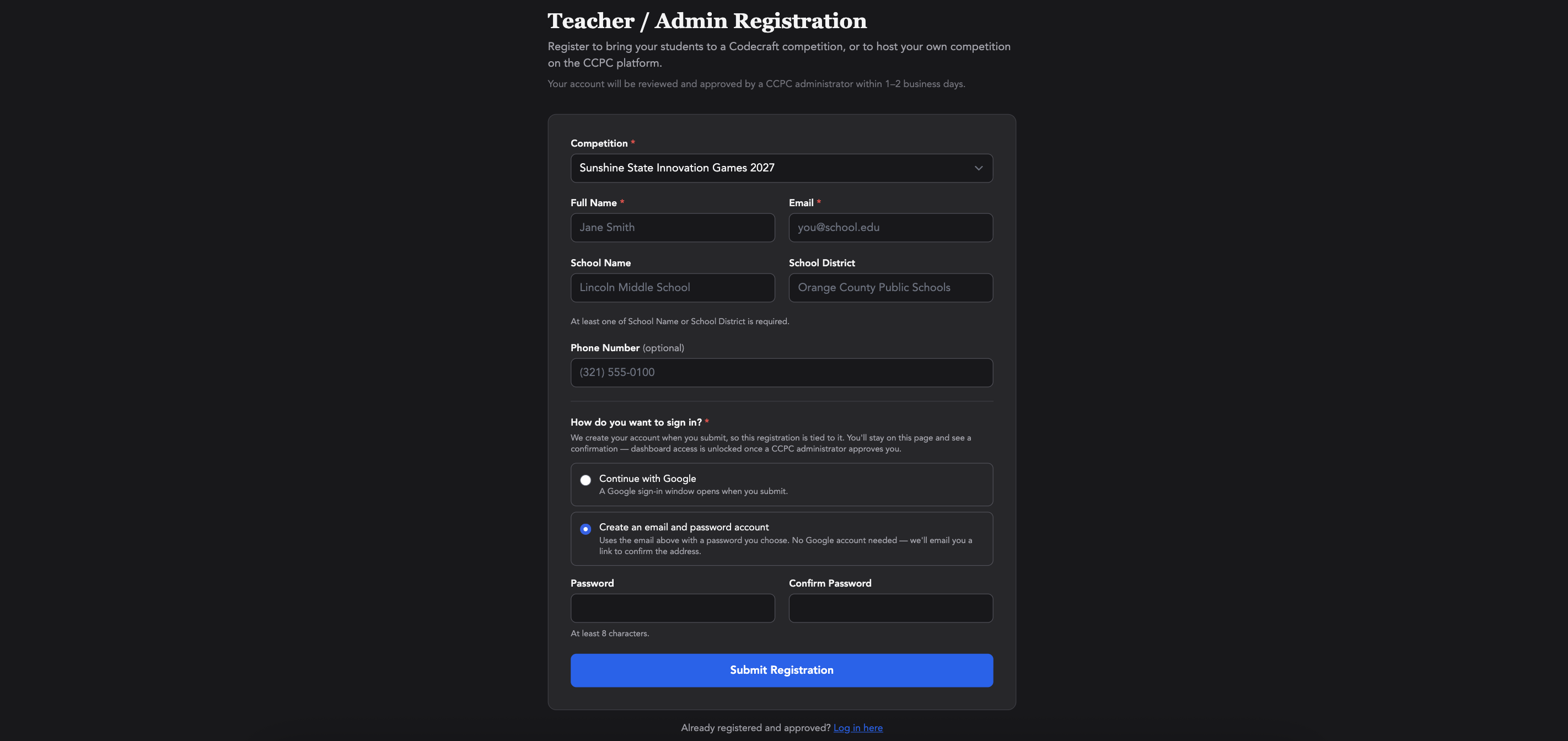
- On the form, select the “Sunshine State Innovation Games” competition, then enter your name, email, school and school district.
- Choose how you would like to sign in (Google sign in or a password account), then click Submit Registration.
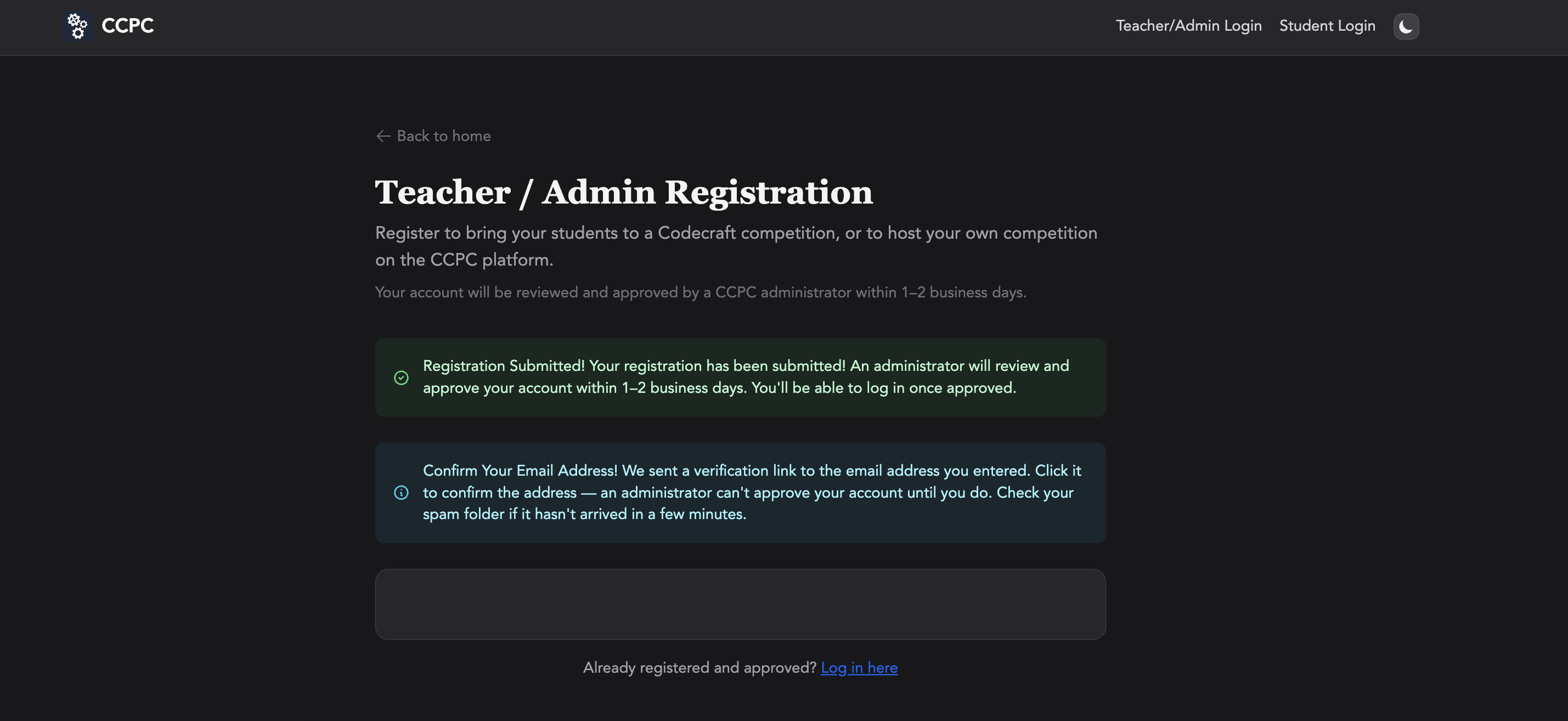
- Check your email and click the verification link.
- Wait for approval. CCPC will confirm your registration within 1–2 business days.
Step 2: Create Student Teams & Accounts
Each student needs their own account to submit a project or compete in the Runtime competition.
- Once your Teacher/Admin account has been approved, log in using the Teacher/Admin Login button on the competition page ⎋.
- From your Dashboard, click “My Teams.”
- Add teams one of two ways:
- Add Team: Register and create accounts for one team at a time.
- Upload Roster: Register and create accounts for multiple teams at once. This is also the way to reset a student’s password; re-uploading a row for an existing username updates their password.
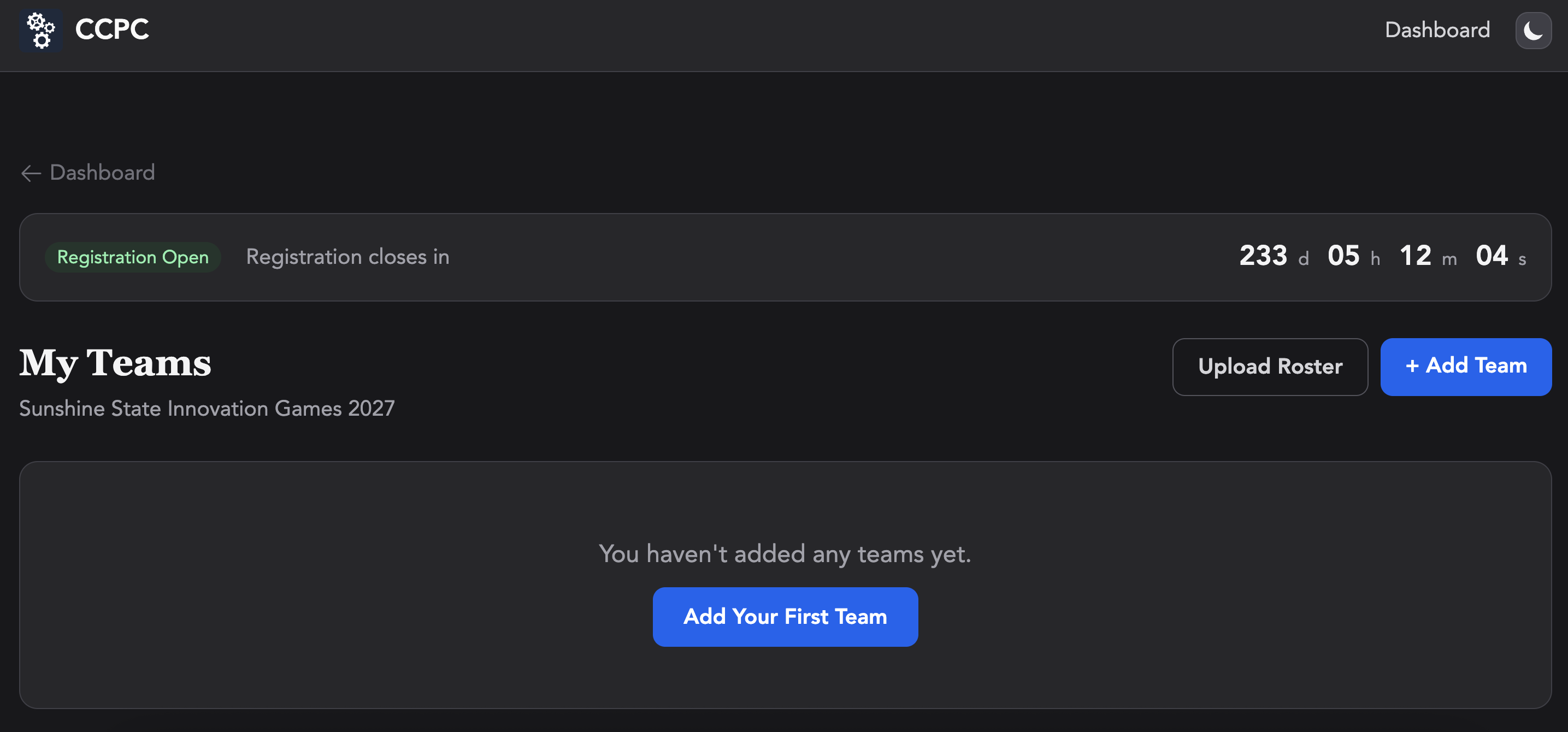
- Return to “My Teams” anytime to review your rosters. When project submission is open, you will also be able to view your teams’ submission status.
Record each student’s username and password in a secure location. Forgot your student’s password? Re-upload that student’s row on the roster to reset their password.
Step 3: Student Login, Submission and Competition
Students will log in on the competition page ⎋ using the “Student Login” button, with the username and password created by their teacher/coach.
Scratch and Web project submission will be available to logged-in students from March 29, 2027 to April 5, 2027.
Teams must complete the virtual round of the competition between March 8, 2027 and March 12, 2027. Teams who qualify for the final, in-person round on April 23, 2027 will be notified during the week after the virtual round.