How to Update Your Account Settings
If you have not already, create an account on Codecraft Works’ platform using one of the linked sets of instructions below.
- How to Create an Account: Students
- How to Create an Account: Parents / Guardians
- How to Create an Account: Teachers / Educators
Once you have logged in, navigate to your user settings by selecting the “Account” option in the lower left corner of the site’s navigation bar.

From here, you should see your User Settings options, which will allow you to view and change the information associated with your account.
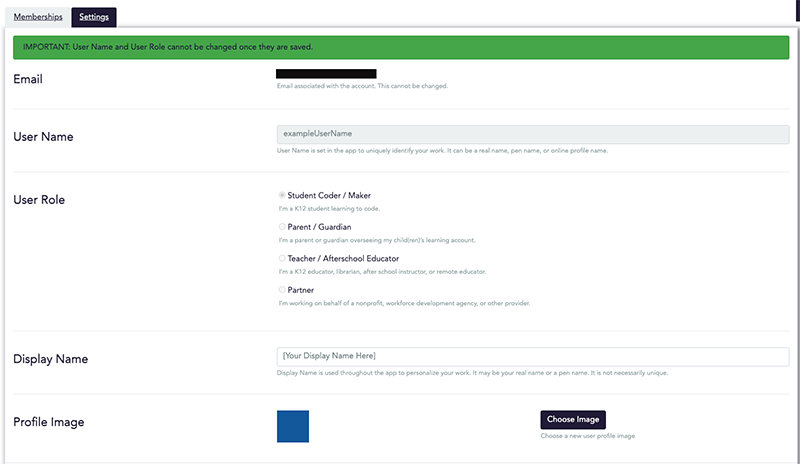
You can edit your user name, user role, display name, and profile image in the under the Settings tab. When you are finished making the desired changes to your account settings, scroll to the bottom of the User Settings section and select “Save Changes”.
Note: User Names can only be changed once, so double check to make sure you’ve chosen the correct name and spelled it correctly.